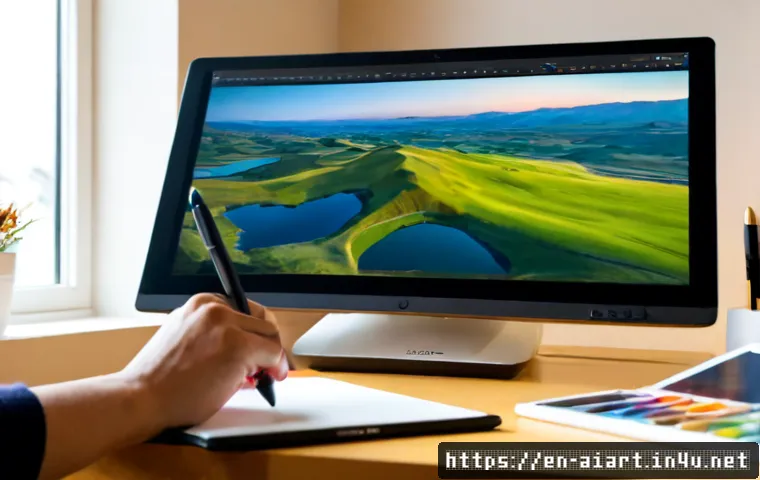
AI art subscriptions are often enough for mood boards, visual exploration, and early asset experiments. Choose real-time graphics software or a specialist creative-technology team when audience input must drive live visuals reliably in a public setting.
The practical choice depends less on the novelty of AI and more on the interaction model, commercial licensing, integration requirements, and production support.
A generated image can be a strong starting point, but it may still need optimization before it works on a screen, projection, website, or sensor-led installation.
Review platform terms, output rights, and support scope before committing a client budget. The best workflow keeps human art direction in control from the first prompt through launch-day testing.
At a Glance
- Use an AI creative subscription for rapid concepts, mood boards, image variations, and controlled visual exploration.
- Use real-time visual software when camera, sensor, interface, or environmental input must change visuals during the experience.
- Use a creative-technology studio or custom development team when public reliability, hardware, installation, maintenance, or complex integration raises risk.
| Production Path | Best Use | Team Requirement | Key Licensing Check | Main Budget Drivers |
|---|---|---|---|---|
| AI creative subscription | Mood boards, visual concepts, asset variations, early prototypes | Designer or art director with prompt and curation skills | Commercial-use rights, output terms, training-data policies | Subscription tier, asset review, post-production, usage rights |
| Real-time visual platform | Responsive screens, projections, interactive displays, live generative visuals | Designer plus real-time artist or technical designer | Software licensing, plug-in terms, deployment conditions | Software licenses, integration, optimization, testing, operator setup |
| Custom studio build | Public installations, custom hardware, multi-input experiences, branded events | Creative director, developers, technical production, venue coordination | Client usage, third-party assets, contract scope, ownership terms | Creative direction, development, hardware, installation, maintenance, support |
Where AI Art Adds Real Value to Interactive Experiences
The short answer: concept generation is fast; reliable interaction requires system design
Generative AI can quickly produce visual concepts, text, image variations, and creative assets from prompts or reference inputs. That makes it useful when a team needs to explore visual directions before committing to production. However, a polished still image is not automatically ready for a responsive website, real-time projection, or interactive installation.
Interaction design adds another layer: user actions, sensor data, interface inputs, or environmental conditions affect what the audience sees. The experience therefore needs a defined input, a visible response, a technical integration plan, and a fallback state if something fails. AI can speed up the visual side, but it does not remove the need for experience design and production testing.
From static visual outputs to responsive, audience-led experiences
A useful question is: what does the participant do, and what changes because of it? A visitor may touch a screen, move in front of a camera, select an interface option, or affect a system through another sensor input. The visual response may be a generated landscape, animated typography, a changing color field, or an evolving branded composition.
For a lightweight digital experience, AI-generated art may remain largely static and simply support a personalized interface. For a physical activation, the same visual direction may need to become animated, optimized, and connected to hardware. The more immediate and public the interaction becomes, the more important real-time performance and operational planning become.
When AI supports the creative team rather than replaces design judgment
AI works best as part of an art-direction system. A creative team can use it to test references, explore compositions, generate controlled variations, and develop a starting library of visual material. Human review remains essential for brand consistency, visual quality, cultural sensitivity, and intellectual-property risk assessment.
Do not treat a single prompt result as final creative direction. Instead, define visual rules: color behavior, typography boundaries, image treatment, compositional priorities, approved references, and exclusions. This gives designers, developers, and external vendors a shared standard when the work moves from concept to deployment.
Compare Three Production Paths Before You Commit
AI creative subscriptions for mood boards, assets, and rapid experiments
An AI creative platform is often the efficient first choice when the brief is still open. It can help teams create mood boards, explore visual language, and test multiple directions before paying for deeper production. This path suits internal workshops, early pitch material, interface exploration, and campaigns where the final interaction is relatively simple.
The main decision point is not only image quality. Review the platform’s commercial-use rights, subscription-tier conditions, output ownership language, and training-data policy. These terms can vary, and a team should not assume that every output has the same usage status across every plan or project.
Real-time visual tools for responsive screens, projections, and installations
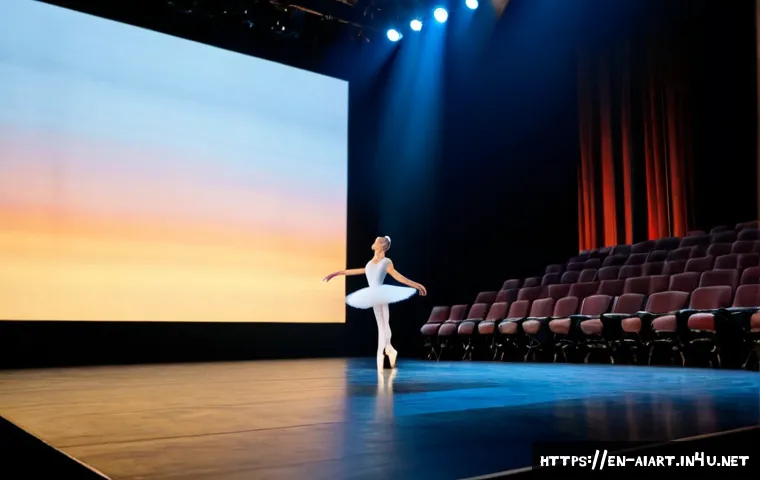
Real-time graphics software becomes more valuable when the visual output must react live. This includes responsive screens, projections, installations, and experiences shaped by interface inputs or sensor data. A real-time workflow can connect an interaction model to visual behavior instead of presenting a fixed sequence of exported media.
That flexibility comes with technical work. Assets may need resizing, cleanup, animation preparation, rendering optimization, and testing on the actual display hardware. Before selecting a platform, ask whether the team can support the intended input source, output resolution, deployment environment, and operator workflow.
Custom development or creative-technology studios for complex public experiences
A bespoke build is appropriate when the project requires custom hardware, unusual user inputs, a venue-specific setup, or a dependable public-facing installation. A creative-technology studio can combine interaction design, generative visuals, software integration, physical production, and on-site support within a defined scope.
This approach is not simply “more AI.” It is a production model for managing risk. Public projects may need accessibility planning, consent-aware data handling, hardware testing, maintenance, and fallback modes. Request a proposal that separates creative concepting from technical development, installation, and ongoing support so the production budget is easier to evaluate.
Comparison table: capability, licensing, staffing, timeline, and budget drivers
The table above provides the practical dividing line. Subscription tools prioritize speed and experimentation. Real-time platforms prioritize responsive behavior. Custom vendors prioritize integration and public reliability. A hybrid model is also common: use AI art during concept development, then pass curated assets into a real-time graphics workflow or a custom installation build.
Build a Practical Workflow From Prompt to Interaction
Define the audience action, desired response, and success metric first
Start with the audience rather than the image prompt. Write one clear chain: action, system input, visual response, intended outcome. For example, the audience makes an interface choice, the system receives that input, the visual composition changes, and the result supports exploration or engagement.
This prevents a common issue: attractive AI art with no meaningful role in the interaction. It also gives software providers and installation vendors a clearer basis for assessing integration needs and production scope.
Create a visual direction system instead of relying on one-off prompts
Build a repeatable prompt and review process. Define references, visual elements that must appear, elements that should be avoided, brand constraints, and approval criteria. Keep selected assets organized with notes about where they may be used and what edits were made.
This approach makes client approval easier and helps maintain consistency when multiple people generate or refine assets. It also makes later rights review more manageable because the team can identify the source and intended usage of important creative material.
Prepare assets for animation, real-time rendering, and device constraints
Generated imagery may need practical preparation before it enters an interactive system. Consider whether an asset needs separation into layers, animation treatment, resolution adjustments, compression, cropping, or conversion for the selected graphics workflow. A large or visually complex asset may not behave the same way on every device or display setup.
Ask early whether the visual system will run in a browser, on a dedicated computer, through a projection setup, or inside a product interface. The answer affects both technical feasibility and the final production budget.
Test latency, edge cases, and fallback behavior before launch
Responsive design is judged by what happens when conditions are imperfect. Test delayed inputs, unexpected user behavior, lost sensor signals, connectivity changes, and device restarts. For public-facing work, a clear fallback mode can be more valuable than adding another visual feature.
A fallback might be a stable looping visual state, a simplified interaction, or an operator-controlled restart process. The right choice depends on the venue and scope, but the requirement should be discussed before launch rather than discovered on-site.
Avoid Licensing, Privacy, and Experience-Design Mistakes
Check commercial rights, client usage terms, and asset provenance
Commercial rights, training-data policies, and output ownership can vary by platform, subscription tier, and contract terms. Review the relevant terms for the exact tool and plan being used. If a client requires exclusive usage, a specific rights structure, or a formal procurement review, do not assume a standard AI output automatically meets that requirement.
Keep an internal record of the tools used, source inputs, major edits, and approved outputs. This does not resolve every intellectual-property question, but it supports a more responsible review process.
Limit personal-data collection and explain camera or sensor use clearly
If cameras, sensors, or interface data are part of an experience, collect only what is necessary for the intended interaction. Explain the purpose of the technology in clear language. A visually ambitious activation can lose trust if participants do not understand what is being captured or how the system responds.
Whether a particular tool meets privacy, security, accessibility, or enterprise procurement requirements must be confirmed for the specific project. These needs vary by client, venue, region, and technical setup.
Design for consent, accessibility, moderation, and low-tech fallback modes
Public interaction should offer a clear participation path. Consider people who do not want to use a camera, cannot access a physical input comfortably, or need an alternative way to understand the experience. Where audience-generated text or images are involved, moderation needs should also be considered.
A low-tech alternative does not weaken the concept. It can make the installation more usable, safer to operate, and more resilient when hardware or connectivity is unavailable.
Prevent generic outputs with art direction, curation, and human approval
Generic output usually comes from generic inputs and weak review. Improve creative quality by giving the AI system specific references, setting visible brand rules, curating results, and requiring human approval at meaningful milestones. Use AI for range; use creative judgment for selection.
Match the Approach to Your Project Type
Website and product interfaces: lightweight personalization and visual exploration
For websites and product interfaces, AI art can support visual exploration and lightweight personalization without requiring a full physical installation. Keep the interaction understandable and check how visual assets affect device performance, interface clarity, and accessibility.
Retail and event activations: durable hardware, fast response, and operator support
Retail and event work places more pressure on reliability. A public activation may require durable hardware, a quick visible response, clear participant instructions, and someone who can operate or reset the system. A real-time platform or external production partner may be worth the investment when these needs are central.
Museums and cultural spaces: interpretation, accessibility, and longer maintenance cycles
Museum and cultural projects should connect the interaction to interpretation rather than using AI visuals only as decoration. Plan for accessible participation, audience understanding, and a maintenance approach that reflects the expected lifespan of the installation.
Brand campaigns: approval workflows, rights management, and visual consistency
Brand campaigns benefit from early approval gates. Confirm the visual direction, commercial usage expectations, and review process before assets spread across campaign channels. When agency partners, clients, and vendors are involved, a documented workflow reduces confusion around responsibility and final approval.
Selection Criteria and Comparison Summary
Choose the production path by checking these points before requesting a software quote or an interactive-installation proposal:
- Interaction model: What does the audience do, and what must change in response?
- Production environment: Is this for a browser, product interface, screen, projection, retail space, or event venue?
- Rights and licensing: What commercial use, client usage, output, and third-party asset terms apply?
- Integration scope: Are cameras, sensors, custom hardware, real-time rendering, or external systems required?
- Operational plan: Who tests, installs, monitors, maintains, and resets the experience?
- Fallback behavior: What happens if input, hardware, software, or connectivity does not perform as expected?
Choose a subscription tool when experimentation is the main goal. Choose real-time graphics software when live responsiveness is central. Choose external production support when the project requires custom integration, public reliability, or complex hardware. For licensing conditions, platform features, and vendor support scope, review the official plan details and proposal terms before making a final selection.
Closing Thoughts
AI-driven art can make interactive design faster at the concept stage and more flexible during visual development. The strongest results come from matching the tool to the interaction, not from forcing every project into the same AI workflow. Treat visual generation, real-time behavior, licensing, and operations as connected decisions. When public participation or complex technology is involved, invest in testing and human review as seriously as creative direction.
Useful Information to Keep in Mind
Prototype spending and launch spending are different. A quick proof of concept may validate a visual idea, while a public launch may add development, hardware, installation, maintenance, support, and rights considerations.
Aesthetic quality is only one requirement. Interactive work must also be understandable, responsive, accessible, and practical to operate.
Vendor proposals are easier to compare when the brief is specific. Define the venue, audience action, technical inputs, desired output, timeline expectations, and support needs.
Important Considerations
Final cost, schedule, and technical feasibility cannot be confirmed without a defined brief, venue details, interaction model, and vendor scope. The legal status, exclusivity, and suitability of any particular AI-generated output also require review of relevant platform terms and applicable local law. Confirm accessibility, privacy, security, and procurement requirements for the specific tool and deployment environment.
Frequently Asked Questions
Q1. How much does an AI-powered interactive art project cost?
A1. The cost depends on creative direction, software licensing, custom development, hardware, installation requirements, maintenance, and usage rights. A concept experiment and a public-facing installation have different production scopes, so a defined brief is needed before a reliable budget can be assessed.
Q2. Which tools are best for turning AI-generated visuals into real-time interactive installations?
A2. The best category is usually a real-time visual platform when live input and responsive graphics are central. The specific choice depends on the required inputs, display setup, integration needs, licensing, team skills, and deployment environment. For complex public installations, a creative-technology studio may be better positioned to manage the full system.
Q3. Is AI-generated art safe to use in commercial interactive design projects?
A3. It may be usable, but commercial rights, training-data policies, output ownership, and client usage terms vary by platform and subscription tier. Review the applicable terms, maintain human approval, and assess whether the output is appropriate for the campaign, client, and industry before launch.